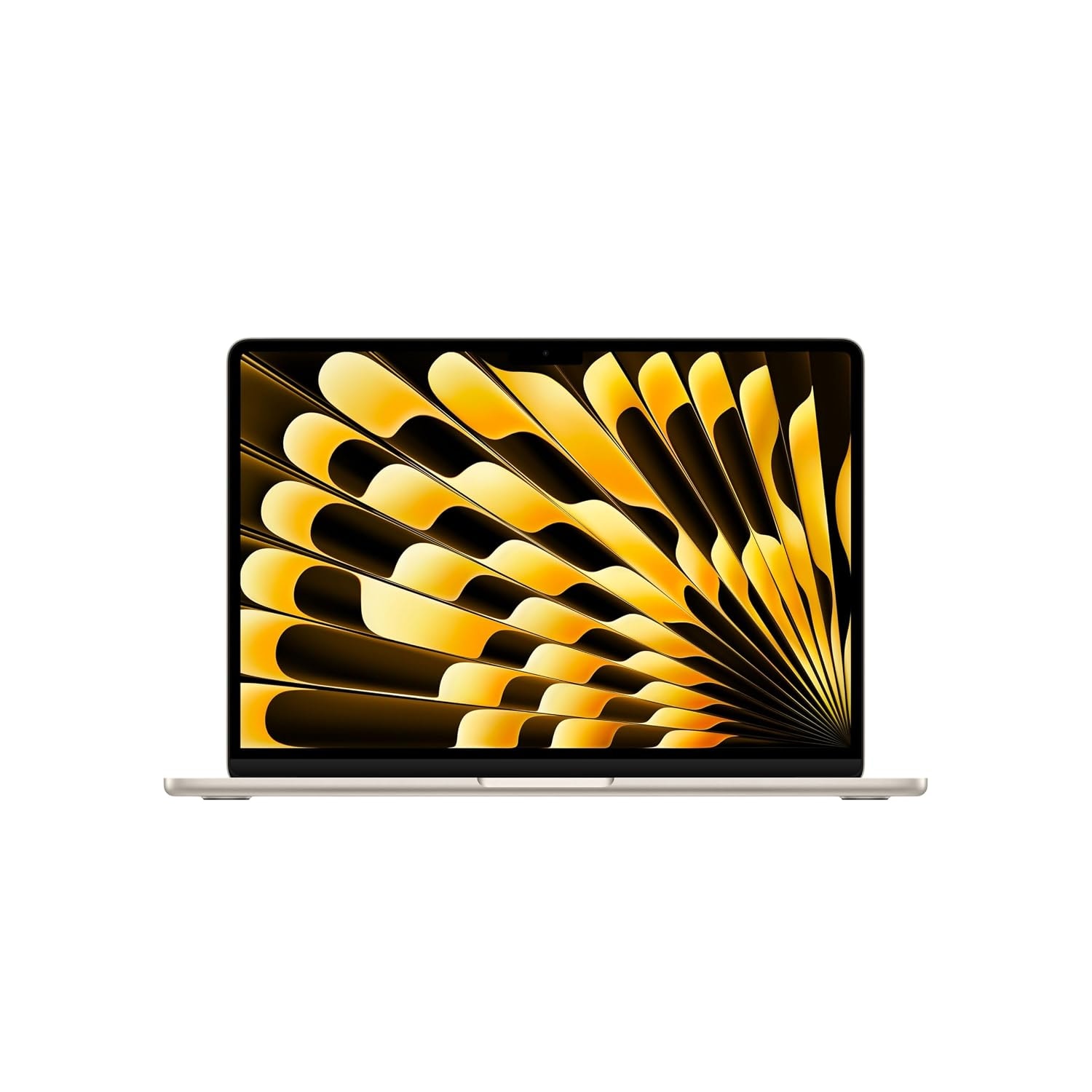
Two aluminium Macs, both easy to carry, both on the current macOS. That is where the family resemblance ends. The MacBook Neo is a 13-inch machine on an A18 Pro, the phone-class chip from the iPhone 16 Pro. The MacBook Air is a 13.6-inch machine on an M5, which is a Mac chip meant to stay busy. The person who put a Citrus Neo next to a Starlight Air found a real gap in price, and a real gap in the things you touch every day: the screen, the ports, the keyboard light, the memory.
I opened the Amazon.in pages on 6 October 2026 and wrote down the buy box on each one. Those figures are below. A bank offer or a student offer can still move the last screen, and the next stock refresh can move the sticker. Pay the number you see at checkout, on the colour and storage the title actually names.
The Neo listing is plain about the charger. The box is the laptop, a 20W USB-C power adapter, and a USB-C charging cable, plus the usual paperwork. That is the same sort of small adapter Apple ships with an iPad. He said the Neo will accept up to 45W, and that a 70W charger is something you buy yourself if you want it to fill faster. On the included 20W brick, it takes its time.
The Air listing says the box holds the laptop, a USB-C power adapter, and a 2-metre USB-C to MagSafe 3 cable. It does not print the adapter's wattage. He said the default is 30W, that you can choose a dual USB-C adapter or a faster charger when you order, and that the MagSafe cable matches the laptop colour. MagSafe is the practical difference. The Air can charge on the magnetic cable and leave both USB-C ports free. The Neo charges through one of its two USB-C ports, so one of them is busy whenever it is plugged in.
Put them side by side and they both look like MacBooks. Aluminium, metal, a lid that feels finished. The Neo is the compact one. Apple's table puts it at 29.8 cm by 20.6 cm, and 1.3 cm thick. The 13-inch Air is 30.4 cm by 21.5 cm, and 1.1 cm thick. You see that in profile. The Air's screen is 13.6 inches. The Neo's is 13 inches, with a camera centred in a symmetrical bezel, closer to the older MacBooks. The Air's camera sits in a small notch, and the bezels around it are thinner. The product photos show that difference before you ever open the lid in a shop.
Weight is the part people expect to matter and then cannot feel. The Neo listing says 1,225 grams. The Air listing says 1.24 kg. In a bag, that is the same laptop. He picked both up and called them the same weight, a gram or two apart. The listings are a little further apart than that, and it still will not change which shoulder you use.
The in-hand difference is the edge, not the scale. The Neo's edges are more curved, and the finish is a step softer. Next to the Air, the Air feels like the more expensive object, which it is. The Neo does not feel cheap for its own price. It feels like a Mac you can live with. Both chassis are the sort that stay honest for five or six years if you carry them in a sleeve. A dent on either one is an Apple repair, and those are not cheap.
The Neo page lists four colours: Silver, Blush, Citrus, and Indigo, with a keyboard matched to the lid. The machine in the comparison was Citrus. The Air beside it was Starlight, which is the colour on the Air card below. The Apple logo on the Neo lid glows less than the one on the Air. Nice to notice once. Useless as a reason to spend the extra.
Both screens are good, and side by side they do not shout at you. The size is the first thing you notice: 13 inches against 13.6. Then the bezel. Then, if you go looking, the resolution. The Neo listing prints 2408 by 1506, up to 500 nits, and support for a billion colours. He read the Air at 2560 by 1664, the same 500 nits, and the same billion colours. Brightness, for ordinary rooms, is a tie.
Colour is where he separated them. The Neo covers 100 percent of sRGB. The Air's panel is P3, which is a wider gamut, so photos and graded video sit a little richer on it. Watch a film or a class recording and you can easily miss it. Grade colour, or match a photo to a print, and the Air is the panel that gives you the extra room. Both are accurate enough to work on. The Air is the wider one.
Both are 60Hz. A smoother 120Hz Mac still means a Pro, and he put that kind of machine around ₹2 lakh to ₹2.5 lakh. I did not open a Pro listing for this piece, so that figure stays his, not a sticker. If 120Hz is the thing you came for, neither of these two is it.
Both use Apple's Magic Keyboard, and a day of typing feels the same on either one. Gestures on the trackpad are there on both. The Air adds a white backlight you can dim. The Neo has no backlight at all. At a listing of ₹77,990, that is the omission that annoys. Working in a dark room means you either know the keyboard or you turn a lamp on. He called it out when he reviewed the Neo on its own, and it is still the first thing to hold against this model.
Touch ID is on the Air. On the Neo it depends on the storage you buy. The 256GB Citrus title does not mention it. The 512GB Citrus title does. That is an odd way to split a fingerprint reader, and it is what the two Amazon titles actually do. If you buy the cheaper Neo, plan on typing the password.
The trackpads are the other place the Air feels like the older, dearer Mac. The Air uses Force Touch. The pad does not travel. A haptic click tells your finger that it did. The Neo's pad clicks for real, the way a Windows laptop's pad clicks, and it is a bit smaller. It is still a better pad than most Windows machines at this size. Daily work will not suffer on it. The Air's is simply the one you notice when the two laptops are open together.
The Air has two Thunderbolt 4 USB-C ports, up to 40 Gbps, plus MagSafe. Charge it, and both USB-C ports stay free for a drive, a display, or a dock. The Neo has two USB-C ports and no MagSafe. One of them is USB 3, at 10 Gbps. The other is USB 2, at 480 Mbps. That second port will charge the laptop. It will not drive a display. Copying files through it is slow enough that he treated it as a wasted hole, and he is right. A second USB 3 port would have been the fair version of this machine.
Both have a headphone jack. His is on the left of the Neo and on the right of the Air. Both USB-C ports can charge either laptop. External displays are not equal. He ran the Air out to two displays at up to 6K and 60Hz. The Neo drives one display, up to 4K at 60Hz, and only from the USB 3 port. Everything else on the Neo goes through a dongle on that same port, including the day you also need to charge. The Air is the one you can put on a desk with a monitor and still have a port left.
The Air's camera is the 12-megapixel Centre Stage camera Apple uses in the iPad, and the listing says so. Centre Stage keeps you in frame. Desk View, which he opened on the Air, can show the table in front of the laptop during a call. The Neo's camera is 1080p. The title calls it a FaceTime HD camera. It does not do Desk View. For a normal meeting the gap is smaller than the spec sheet suggests. In his preview the Neo sometimes looked a touch sharper, and the Air had the slightly smoother look of that iPad camera. Either one is fine for class and for work calls. The Air is the one with the extra tricks.
Microphones follow the same pattern. Three in the Air, two in the Neo. He recorded both and did not hear a difference that would change a call. Speakers are four in the Air and two in the Neo, and both support spatial audio. Play the same track and the Air is a little clearer, a little sharper. Loudness is almost the same, with the Air only slightly ahead. You can watch a film on the Neo speakers and enjoy it. The four-speaker setup is better on paper than it is in a quiet room, which is worth knowing before you pay for it.
The A18 Pro is a strong phone chip, and on a laptop it feels quick for the jobs a phone chip understands. The M5 is built for a Mac that stays open all afternoon with heavier apps. He lined up SSD read and write, Geekbench 7 for the CPU and the GPU, a Geekbench AI run, and Cinebench 2026. The M5 led them. The gap he kept coming back to was multi-core, and the Air's extra graphics cores show up once a timeline or a render is actually working. The A18 Pro was not lost. He never read the scores out, so this article does not invent them.
Memory is the number you can check without a benchmark. The Air title says 16GB. Both Neo titles say 8GB. In 2026, 8GB is enough until the day it is not, and you cannot add a stick later.
For a student or an office day, the Neo is more than enough. Word, a browser, PDFs, assignments, a presentation, an online class, a meeting. He had already said this in the Neo review, and the comparison did not change it. Battery life on the Neo is good, and the chip is efficient. The Air does every one of those jobs too. You buy the Air when the week also contains something heavier, and you would rather pay once.
Learning to code is a Neo job. Both machines run the same macOS, so you get a real terminal, a Unix environment, Git, and the developer tools people recommend a Mac for. If you are still in the first months, installing things, breaking them, and fixing them, the Neo keeps up. If you already ship work, and that work includes an Android emulator, an app build, or a heavy local website, 8GB starts to feel small and the Air's 16GB is the reason to spend more. He was direct about that. Medium to heavy development belongs on the M5 if you can pay for it.
Editing is the same split. He edited photos on the Neo and it behaved. Shorts, reels, and ordinary 1080p YouTube videos are fine on it. Multi-layer projects, 4K, music production, and sound design are where he would send you to the Air, because that is where the extra cores and the 16GB stop being a brochure line. Graphic work lands in the same place. He counted five GPU cores on the Neo, and that is not the graphics chip you want for serious design. The Air is the one he would buy for that.
Games exist on macOS now. He named Lies of P, Cyberpunk, Assassin's Creed Mirage, and Resident Evil, running natively. On the Neo they ran at low settings. On the M5 they ran better, which follows from the graphics cores and the memory. An emulated GTA 5, at a low preset, ran for him on the Air. The Neo dropped out once the emulator was in front of it. He still would not buy a Mac in order to play. If games are the point of the money, a Windows laptop or a console spends it more honestly. The Air can do casual play. The Neo should not be asked to.
Open a pile of apps and the Air stays the smoother of the two. The Neo does open them. It just feels a step behind once the dock is full. That matches the chips more than it matches the operating system, because the operating system is the same.
Both ship the current macOS, and Macs are looked after for a long time. The interface is the same. Apple Intelligence is on both: writing tools, the newer Siri, image generation, object removal, transcription. The ecosystem is the same too. iPhone Mirroring, the shared clipboard, Notes and photos through iCloud, AirDrop, files, and Messages all behave. Nothing in the software is a reason to pick one lid over the other.
Battery is a small, real gap. Apple's own lines, which the listings repeat, are up to 18 hours for the Air and up to 16 hours for the Neo. His own use landed in that same one-to-two-hour range. Use one of them lightly and the gap can stretch past two hours, because the Air's battery is the larger of the two and the day varies. It is not a different category of endurance. The charger is. The Neo's 20W adapter is the slow one. The Air's included adapter, in his hands, was 30W, and MagSafe means you are not giving up a data port to get that charge.
He had the Neo in a band of about ₹70,000 to ₹80,000, and the Air's base price at ₹1.5 lakh, often ₹1.2 lakh to ₹1.3 lakh once a bank or student offer landed. The pages I opened on 6 October sit next to that story, with the offers still left for you to apply.
Amazon listing
Listing price on 6 October 2026
Check this price on AmazonOn the listing
- Apple A18 Pro, 8GB unified memory, 256GB SSD
- 13-inch Liquid Retina, 2408×1506, up to 500 nits
- 1,225 grams, aluminium
- Box: 20W USB-C adapter and a USB-C cable
This is the Citrus 256GB Neo. The title does not say Touch ID, and a buyer on the same page says this version skips it. On 6 October 2026 the buy box was ₹77,990 against an MRP of ₹79,900. Eight gigabytes and 256GB are the whole computer. The listing gives you no way to add memory later. It is the Mac for mail, class, a browser, and light editing. The keyboard has no backlight, which is the part that feels mean once the room is dark. Touch ID, if you want it, is the 512GB listing below, still with 8GB.
Amazon listing
Listing price on 6 October 2026
Check this price on AmazonOn the listing
- Apple A18 Pro, 8GB unified memory, 512GB SSD
- Touch ID is in the listing title
- 13-inch Liquid Retina, 1,225 grams
- Box: the same 20W USB-C adapter and USB-C cable
Same Citrus Neo, same A18 Pro, same 8GB, with 512GB of storage and Touch ID written into the title. On 6 October 2026 this page was ₹87,990 against an MRP of ₹89,900. The extra ₹10,000 over the 256GB model buys storage and a fingerprint reader. It does not buy a faster chip, more memory, or a lit keyboard. If the work is going to grow, that ₹10,000 is better kept for the Air.
Amazon listing
Listing price on 6 October 2026
Check this price on AmazonOn the listing
- Apple M5, 16GB unified memory, 512GB SSD
- 13.6-inch Liquid Retina, 12MP Centre Stage, Touch ID
- 1.24 kg
- Box: USB-C power adapter and a 2m USB-C to MagSafe 3 cable
Starlight, 13.6 inches, M5, 16GB, 512GB, a 12MP Centre Stage camera, and Touch ID. On 6 October 2026 this page was ₹1,38,990 against an MRP of ₹1,49,900. It is the 13-inch Air from the comparison, so read the title before you pay for a 15-inch or a 24GB build by mistake. Amazon's spec table on this same page has a row that calls the processor type Apple M4, while the title and the CPU model number say M5. Believe the title. The side-by-side hoped that bank and student offers would pull this machine toward ₹1.2 lakh to ₹1.3 lakh. Those offers were not inside the ₹1,38,990 on the buy box.
From the 256GB Neo at ₹77,990 to this Air at ₹1,38,990 is ₹61,000 on the sticker. Step up to the 512GB Neo at ₹87,990 and the gap to the same Air is ₹51,000. That is the 'about fifty thousand' he was talking about, before anyone's card takes a bite. For that money the Air gives you the wider, slightly larger display, 16GB instead of 8GB, the faster ports and MagSafe, the better camera, speakers that are a little cleaner, the larger haptic trackpad, a backlit keyboard, a bit more battery, and room for two external displays. It is also the machine that still has headroom when the work in four years is heavier than the work today.
If your week is still going to be documents, a browser, class, and light editing four or five years from now, the Neo is a real Mac and a sensible one. You get the software, the trackpad, the screen, and the battery people mean when they say they want a MacBook. Buy the 512GB version only if you want Touch ID and the extra storage. It does not fix the 8GB.
Spending ₹70,000 to ₹90,000 does not mean the money has to become an Apple logo. A Windows laptop in that band can be the stronger computer, with more memory and a graphics chip the Neo does not have. The festival laptop guide below is the shortlist from 4 October, with the catches written on each one.
Windows and other laptops from the 4 October price checkRead
- College, office, and learning to code, and the work will stay there: MacBook Neo. The 256GB Citrus at ₹77,990 if you can live without Touch ID. The 512GB at ₹87,990 if you want the fingerprint reader and the space.
- You already build apps, edit 4K, design, or keep an Android emulator open: the 13-inch Air M5 at ₹1,38,990 for 16GB and 512GB, then let your card do what it can.
- Games are the reason: skip both and buy a Windows laptop or a console.
- You only wanted a Mac because the logo glows: the Neo's glows less, the Air's glows more, and neither glow is worth ₹50,000.
These stickers are what Amazon showed on 6 October 2026. They will move. The laptop to take home is the one whose storage, memory, and checkout total you read on the day, including the bank line that applies to the card in your hand.